How to Reduce Screen Time: 15 Practical Changes That Actually Stick

You open your phone's weekly report, see the number, and wince. Most people want less screen time, and most attempts fail within a week because they rely on willpower against apps designed to keep you engaged. The changes that work are environmental: making the phone slightly harder to reach and making the alternatives slightly easier. Here's how to reduce screen time in a way that sticks.
The short answer
To reduce screen time: check your baseline, set a specific target, turn off non-essential notifications, move tempting apps off your home screen, use app limits and grayscale, create phone-free zones (bedroom, meals), and replace screen time with specific activities you actually enjoy. Aim to cut the mindless use, not the useful parts.
Step 1: Know your baseline
Check Screen Time (iPhone) or Digital Wellbeing (Android) for the last week:
- Daily average.
- Top three apps.
- Number of pickups.
- Your heaviest times of day.
Most people find two or three apps and a few time windows account for the majority of their screen time.
Step 2: Set a specific target
"Less" is too vague. Pick something like "under 2 hours of social media a day" or "no phone after 22:00". Cut by around 25–30% at first; big overnight cuts rarely last.
15 changes that reduce screen time
| # | Change | Effort | Impact |
|---|---|---|---|
| 1 | Turn off non-essential notifications | Low | High |
| 2 | Move social apps off the home screen | Low | High |
| 3 | Log out of apps after each use | Low | Medium |
| 4 | Set app time limits | Low | Medium |
| 5 | Turn on grayscale | Low | Medium |
| 6 | Charge your phone outside the bedroom | Low | High |
| 7 | Phone-free meals | Low | Medium |
| 8 | Use a real alarm clock | Low | Medium |
| 9 | Batch-check messages | Medium | Medium |
| 10 | Use focus modes for work | Low | Medium |
| 11 | Replace the commute scroll | Medium | Medium |
| 12 | Delete your worst app | Medium | High |
| 13 | Keep a book where you scroll | Low | Medium |
| 14 | Schedule phone-free blocks | Medium | High |
| 15 | Track progress weekly | Low | Medium |
Notifications (1)
Each notification is a cue that pulls you back in. Keep messages from people and calendar alerts; turn off everything else — especially social media, shopping and news.
Friction (2–5)
- Home screen: keep only tools (maps, camera, calendar). Move social apps into a folder on the second page.
- Log out: having to log in adds a pause where you can change your mind.
- App limits: set a daily limit. When it hits, you have to consciously choose to continue.
- Grayscale: colourful feeds become noticeably less appealing in black and white.
Replacify helps you swap a bad habit for a better one — with structured paths, an SOS button for cravings, a focus timer, and streaks that keep you going.


Phone-free zones (6–8)
- Bedroom: the single most effective change for many people. Charge the phone elsewhere and use a separate alarm.
- Meals: phones off the table.
- Mornings: don't check your phone for the first 30 minutes.
Smarter use (9–10)
- Batch-check messages and email at set times.
- Focus modes hide distracting apps while you work.
Replace, don't just remove (11–14)
Screen time usually fills gaps: boredom, waiting, stress, tiredness. If you take it away without a replacement, the gap wins.
- Commute: podcast, audiobook or a paper book.
- Evening: a hobby — cooking, drawing, a sport, an instrument.
- Where you scroll: leave a book on the sofa or by the bed.
- Blocks of phone-free time: a 25- or 45-minute focus session for work or a hobby.
What to replace the scroll with — 60 ideas by need. And if one app is the main culprit, how to quit social media.
Track it (15)
Check your screen time once a week, not every day. Celebrate progress. Why tracking streaks helps.
What's a healthy amount of screen time for adults?
There isn't one official number for adults, and screen time for work, learning or talking to family is different from mindless scrolling. A better question is: does your screen use leave you feeling better or worse, and is it taking time from sleep, exercise, relationships or things you care about? Focus on cutting what drains you.
If it feels out of control
If you feel unable to cut down despite real consequences — missed sleep, work problems, conflict at home, anxiety when separated from your phone — it may be worth talking to a professional. Doomscrolling and compulsive phone use are common, and support is available.
The bottom line
Reducing screen time is about environment and replacement, not willpower. Turn off notifications, move tempting apps, add limits and grayscale, keep phones out of the bedroom and meals, and fill the gaps with specific activities. Check progress weekly.
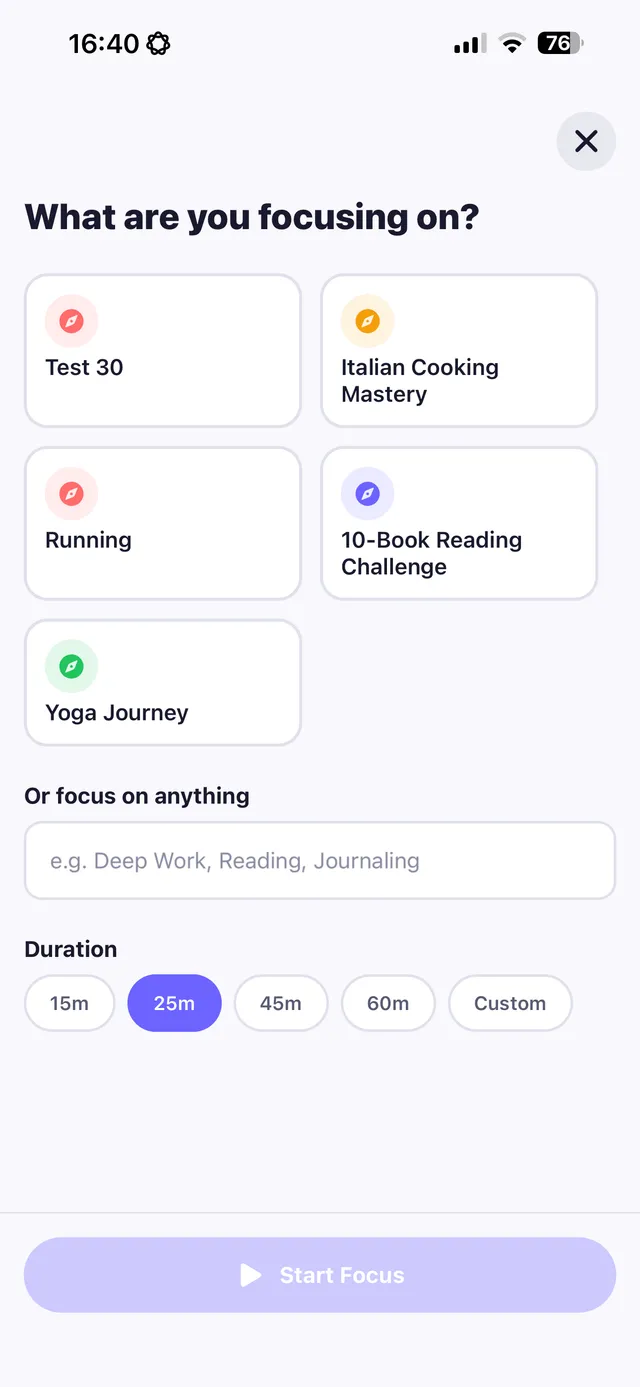
Replacify treats screen time as a habit to replace. Choose Phone Addiction, Social Media or Doom Scrolling as your struggle, use the focus timer (15, 25, 45 or 60 minutes) for phone-free blocks linked to a replacement path, tap SOS when the urge to scroll hits, and add the SOS and Focus widgets to your home screen so the alternative is one tap away.
Frequently asked questions
How can I reduce my screen time?
Turn off non-essential notifications, move tempting apps off your home screen, use app limits and grayscale, keep your phone out of the bedroom and replace screen time with specific activities.
How much screen time is too much for adults?
There's no single official limit for adults. Focus on whether your screen use leaves you feeling worse or takes time from sleep, exercise, relationships or goals.
Does grayscale reduce screen time?
Many people find grayscale makes colourful apps and feeds less appealing, which can reduce mindless use.
What should I do instead of being on my phone?
Pick activities that fit the same moments: podcasts or books on commutes, a hobby or walk in the evening, and a book instead of your phone in bed.
Replace the habit. Not yourself.
Replacify helps you swap a bad habit for a better one — with structured paths, an SOS button for cravings, a focus timer, and streaks that keep you going.