How to Quit Social Media (or Use It a Lot Less): A Realistic 30-Day Plan

You delete the app on Sunday, reinstall it on Wednesday, and by Friday you're back to two hours a night. If that sounds familiar, the problem isn't your willpower — social media apps are designed by very large teams to be hard to put down. Learning how to quit social media (or just use it much less) is about changing your environment and filling the gap, not white-knuckling it.
The short answer
To quit social media: decide what you want (full break or limits), audit your current use, remove the easiest access (delete apps, log out, move them off your home screen), turn off notifications, replace the scroll with specific activities, and track your progress for 30 days. Expect the first week to feel restless — that's normal and it passes.
First, decide what "quit" means for you
| Goal | What it looks like | Good for |
|---|---|---|
| Full break | Deactivate or delete accounts for 30 days | Feeling out of control, big mood effects |
| App-free | Keep accounts, remove apps; desktop only | Need it for work or groups |
| Limits | Time limits, specific windows | Want balance, not abstinence |
| Selective | Quit the worst app, keep the rest | One platform is the main problem |
There's no single right answer. Pick one and commit to it for 30 days.
Why it's so hard to quit
- Variable rewards. Likes, comments and new content arrive unpredictably — the same pattern that makes slot machines compelling.
- Infinite feeds. No natural stopping points.
- Social pull. Friends, groups and events live there.
- Habit cues everywhere. Waiting in line, waking up, before bed, boredom.
Doomscrolling works the same way, and so does the "dopamine" story you've probably heard — though a dopamine detox isn't quite what it sounds like.
The 30-day plan
Days 1–3: Audit
Before changing anything, check your phone's screen time report. Note:
- Total daily time on social apps.
- Number of pickups.
- When you use it most (morning, commute, evening, bed).
- How you feel afterwards.
This gives you a baseline and shows your main triggers.
Days 4–7: Remove friction-free access
- Delete the apps (you can still log in on a browser if you must).
- Log out everywhere and don't save passwords.
- Turn off all notifications from social platforms.
- Move remaining apps off your home screen into a folder.
- Charge your phone outside the bedroom.
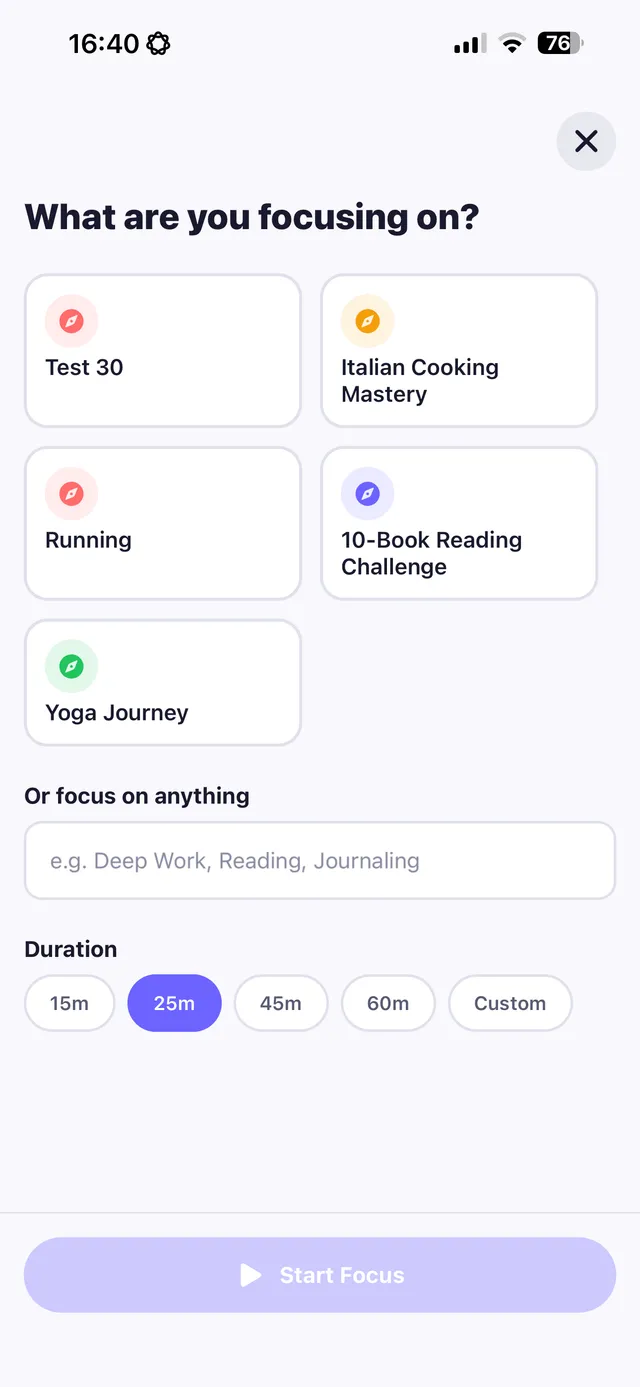
Replacify helps you swap a bad habit for a better one — with structured paths, an SOS button for cravings, a focus timer, and streaks that keep you going.


Days 8–14: Replace the scroll
The urge will come in the same moments as before. Decide what you'll do instead:
- Morning: water, open the curtains, 5 minutes of stretching.
- Commute: podcast, audiobook or a paper book.
- Waiting in line: look around. Seriously — boredom is fine.
- Evening: a hobby, a walk, a call with a friend.
- Bed: a book and lights out.
How to break a bad habit explains why a replacement matters so much.
Days 15–21: Handle the social side
- Tell close friends how to reach you (text, calls).
- Join one offline group — a club, class, sport or volunteering.
- If you need a platform for work, use it on a computer, at set times.
Days 22–30: Review and decide
Look at your screen time again. How do you feel? Better sleep? More time? Less comparison? Then decide what your long-term rules will be.
What to expect
- Week 1: Phantom urges, reaching for your phone without thinking, some FOMO.
- Week 2: More free time than you know what to do with. This is the danger zone — have your replacements ready.
- Weeks 3–4: Many people notice better focus, better sleep and less anxiety about keeping up.
Settings that make it easier
- Grayscale mode makes colourful feeds much less appealing.
- App time limits (Screen Time on iPhone, Digital Wellbeing on Android) add a pause before you continue.
- Browser-only use — logging in on a browser is clunkier, which is exactly the point.
- Unfollow aggressively. If you keep an account, cut the feed down to people and topics that genuinely add something.
- Keep your phone out of the bedroom. Nights are when scrolling runs longest.
If you slip back
Reinstalling an app for an afternoon isn't the end. Delete it again, look at what triggered it, and continue. What to do after you break your streak.
The bottom line
Quitting social media is about environment, not willpower. Decide your goal, audit your use, remove easy access and notifications, fill the time with specific replacements and give it 30 days. Then keep the rules that made you feel better.
Replacify is built for this kind of swap. Choose Social Media (or Doom Scrolling or Phone Addiction) as your struggle, pick a replacement path such as reading, drawing, running or learning a language, use the focus timer for phone-free blocks, and tap SOS when the urge to open the app hits.
Frequently asked questions
How do I quit social media?
Decide whether you want a full break or limits, audit your use, delete apps and turn off notifications, replace scrolling with specific activities and track your progress for 30 days.
How long does it take to get used to quitting social media?
The first week often feels restless, with habitual urges to check your phone. Many people find it gets noticeably easier in the second and third weeks.
Is it better to delete social media or limit it?
It depends on your goals. A full 30-day break is useful if you feel out of control; limits or app-free use can work if you need social media for work or staying in touch.
What should I do instead of social media?
Pick activities that fit the same moments: reading or podcasts on commutes, a hobby or walk in the evening, calling friends, and a book instead of your phone in bed.
Replace the habit. Not yourself.
Replacify helps you swap a bad habit for a better one — with structured paths, an SOS button for cravings, a focus timer, and streaks that keep you going.