How to Stop Binge-Watching: 9 Ways to Break the "One More Episode" Habit

The episode ends on a cliffhanger. The next one starts in 5… 4… 3… and suddenly it's 1:30am. Binge-watching is one of the most common modern habits, and it's no accident: streaming services are designed to make stopping harder than continuing. You don't have to give up TV — you just need to put the stopping points back.
The short answer
To stop binge-watching: turn off autoplay, decide how many episodes before you start, set a hard stop time (ideally an hour before bed), stop mid-episode instead of at the cliffhanger, watch with intention rather than as background, and replace the evening default with at least one other activity. The goal is choosing what you watch, not being carried by it.
Why binge-watching is so hard to stop
- Autoplay removes the decision point between episodes.
- Cliffhangers create open loops your brain wants to close.
- "Skip intro" and short countdowns keep momentum going.
- Whole seasons released at once remove natural waiting periods.
- It's the default evening activity — tired, on the sofa, remote in hand.
It's the classic habit loop: the cue (end of the day, sofa), the routine (press play), and the reward (relaxation, escape, story).
What it can cost you
| Cost | What happens |
|---|---|
| Sleep | Late nights and stimulating content before bed |
| Time | Hours that could go to hobbies, people or rest |
| Activity | Long periods sitting still |
| Enjoyment | Episodes blur together; less satisfaction |
| Mood | Some people feel flat or guilty after long binges |
9 ways to stop binge-watching
1. Turn off autoplay
Most platforms let you disable autoplay of the next episode and of previews in your account or profile settings. This single change puts the decision back in your hands.
2. Decide before you press play
"Two episodes tonight." Say it out loud or tell whoever you're watching with. Deciding in advance is far more reliable than deciding at 11:45pm.
3. Set a hard stop time
Pick a time — say, 22:00 — after which the TV is off. Protecting the hour before bed is good for sleep, too.
4. Stop mid-episode
Cliffhangers are designed to pull you into the next episode. If you stop ten minutes before the end, the pull is weaker, and you have something to look forward to tomorrow.
Replacify helps you swap a bad habit for a better one — with structured paths, an SOS button for cravings, a focus timer, and streaks that keep you going.


5. Watch on purpose, not as background
Choose one show and actually watch it. Having shows on in the background while scrolling your phone means you get neither the story nor the rest.
6. Make it social
Watching with someone — and agreeing on a number of episodes — adds natural accountability. Weekly watch-alongs with friends bring back the old "wait for next week" rhythm.
7. Add friction
Log out of streaming apps on your TV, move the remote to a drawer, or keep streaming for weekends only. A small hurdle makes "just one more" less automatic.
8. Replace the evening default
If TV is the only thing you do in the evening, it'll fill every evening. Add one alternative two or three nights a week: a walk, a class, cooking, reading, a hobby, calling a friend. 60 replacement ideas.
9. Track it
Notice how many episodes and hours you watch a week. Seeing it written down is often enough to change it. How to reduce screen time.
A simple weekly TV plan
| Night | Plan |
|---|---|
| Monday–Thursday | Up to 2 episodes, TV off by 22:00 |
| One weeknight | No TV — a class, a walk, a hobby or friends |
| Friday | A film or a few episodes, chosen in advance |
| Weekend | One longer session if you want it — then something active |
Adjust the numbers to your life. The point is that TV becomes a choice you make, not the default that happens.
Is binge-watching bad for you?
Occasional binges are fine — sometimes a whole weekend with a great series is exactly the rest you need. It becomes a problem when it regularly costs you sleep, crowds out other things you care about, or you feel unable to stop despite wanting to. If you're using TV to avoid persistent low mood or anxiety, it's worth talking to someone.
The bottom line
Binge-watching is designed to be easy, so make stopping easier: turn off autoplay, decide your episodes in advance, set a stop time, end mid-episode, watch on purpose and give your evenings at least one other option.
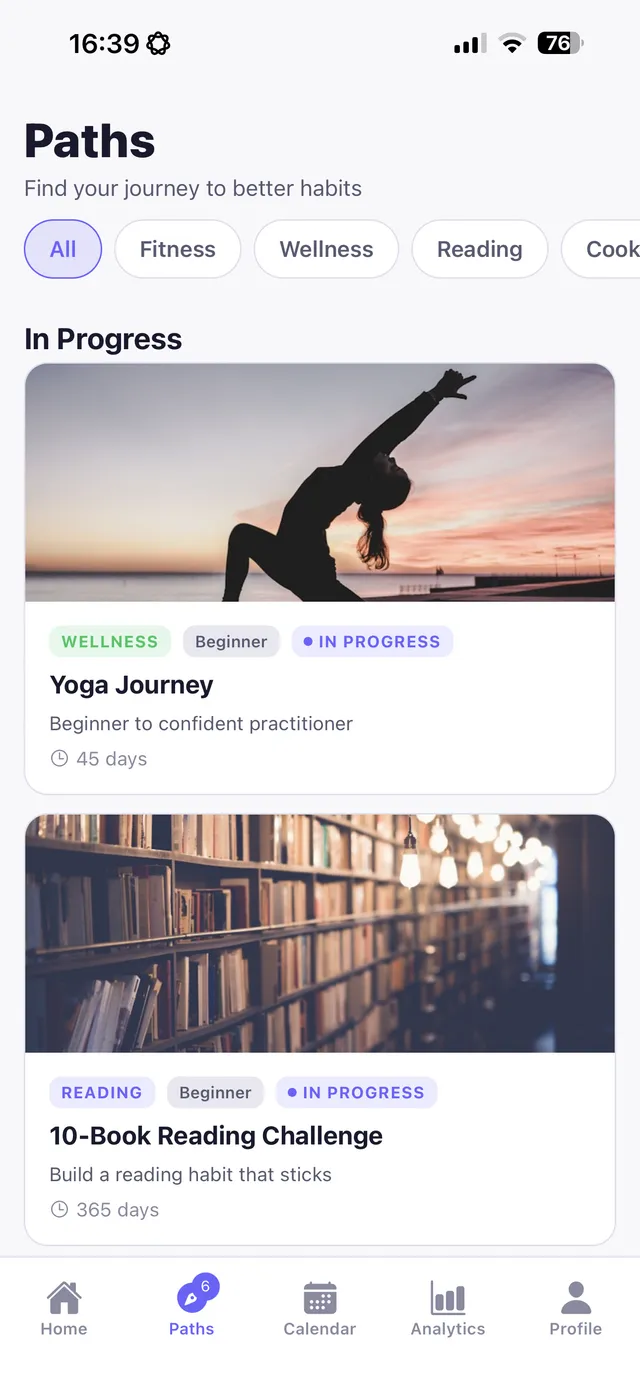
Replacify includes Binge Watching as a struggle. Use a replacement path like cooking, drawing, reading or photography walks to give your evenings a new default, set a focus timer for a 45-minute hobby session before you allow yourself an episode, and watch your streak of TV-light evenings grow.
Frequently asked questions
How do I stop binge-watching?
Turn off autoplay, decide how many episodes before you start, set a stop time, end mid-episode instead of at the cliffhanger, add friction and replace some evenings with another activity.
Why is binge-watching so addictive?
Autoplay, cliffhangers and whole seasons released at once remove natural stopping points, while TV offers easy relaxation and escape at the end of the day.
How do I turn off autoplay on streaming services?
Most streaming platforms let you disable autoplay of the next episode and previews in your account or profile settings.
Is binge-watching bad for you?
Occasional binges are fine. It becomes a problem when it regularly costs you sleep, crowds out other things you value or you can't stop despite wanting to.
Replace the habit. Not yourself.
Replacify helps you swap a bad habit for a better one — with structured paths, an SOS button for cravings, a focus timer, and streaks that keep you going.