How to Stop Checking Your Phone Every Five Minutes: 11 Practical Fixes

You unlock your phone, glance at nothing in particular, lock it, and pick it up again two minutes later. Most phone use isn't long sessions — it's constant checking, dozens or even hundreds of short pickups a day. Each one is small, but together they fracture your attention and eat your time. Here's how to stop checking your phone so often.
The short answer
To stop checking your phone: find your pickup count, turn off non-essential notifications, remove badges and previews, keep your phone out of sight ("phone parking"), batch-check messages at set times, move tempting apps off the home screen, and give your hands and mind something else to do in idle moments.
Why we check constantly
- Notifications train you to expect something new at any moment.
- Variable rewards — sometimes there's something good, usually there isn't — are especially compelling.
- Boredom and discomfort: checking the phone is an instant escape from waiting, awkwardness or a hard task.
- Habit: after thousands of repetitions, your hand reaches for the phone before you've decided anything.
That's a habit loop: idle moment → pick up phone → brief novelty.
Step 1: Find your pickup count
Check Screen Time (iPhone: "Pickups") or Digital Wellbeing (Android: "Unlocks") for the last week. Note which apps you open first after picking up — they're your main pull.
11 fixes that reduce phone checking
| Fix | What it targets |
|---|---|
| 1. Turn off non-essential notifications | External cues |
| 2. Remove badges and lock-screen previews | Visual cues |
| 3. Use a focus mode | Cues during work or sleep |
| 4. Phone parking | Out of sight, out of mind |
| 5. Batch-check messages | Constant checking |
| 6. Clean up your home screen | Autopilot app opening |
| 7. Grayscale | Visual appeal |
| 8. Wear a watch | "Just checking the time" pickups |
| 9. Use a real alarm clock | Morning phone grab |
| 10. Give your hands something else | Idle-moment habit |
| 11. Set pickup goals and track them | Awareness and motivation |
1–3. Cut the cues
- Turn off notifications for everything except messages from people and important calendar alerts.
- Remove app badges (the red dots) and hide lock-screen previews.
- Use focus modes for work, evenings and sleep.
4. Phone parking
Pick a place for your phone at home — a shelf in the hallway, a drawer, a charging station in another room. When you're working, eating or relaxing, the phone lives there. This single change often cuts pickups dramatically.
Replacify helps you swap a bad habit for a better one — with structured paths, an SOS button for cravings, a focus timer, and streaks that keep you going.


5. Batch-check messages
Choose set times to check messages and email — for example, on the hour, or three times a day. Let people know you might not reply instantly.
6–7. Make the phone less tempting
- Home screen: keep only tools (maps, camera, calendar). Put social and news apps in a folder on the second page — or delete them.
- Grayscale: colourful icons and feeds are less appealing in black and white.
8–9. Remove "legitimate" excuses
- Wear a watch so you don't pick up your phone just to check the time (and end up in an app).
- Use a separate alarm clock so your phone can stay out of the bedroom.
10. Give your hands something else
In idle moments — queues, lifts, waiting for the kettle — your hand reaches for the phone automatically. Have an alternative: a book, a notebook, a fidget, or simply noticing your surroundings. What to do instead of scrolling.
11. Track and set goals
Aim to cut pickups by 25% in the first week. Check your numbers weekly, not daily. How to reduce screen time has more changes.
What to expect
The first few days, you'll notice how often you reach for the phone without meaning to. That awareness is progress. Most people find the urge to check fades noticeably within a couple of weeks once cues are removed. Signs of phone addiction can help if you're unsure how much is too much.
The bottom line
Constant phone checking is driven by cues, rewards and habit. Remove the cues (notifications, badges, visibility), add friction (phone parking, a cleaner home screen, grayscale), batch-check messages, and give your hands and mind something else to do. Track your pickups and watch them fall.
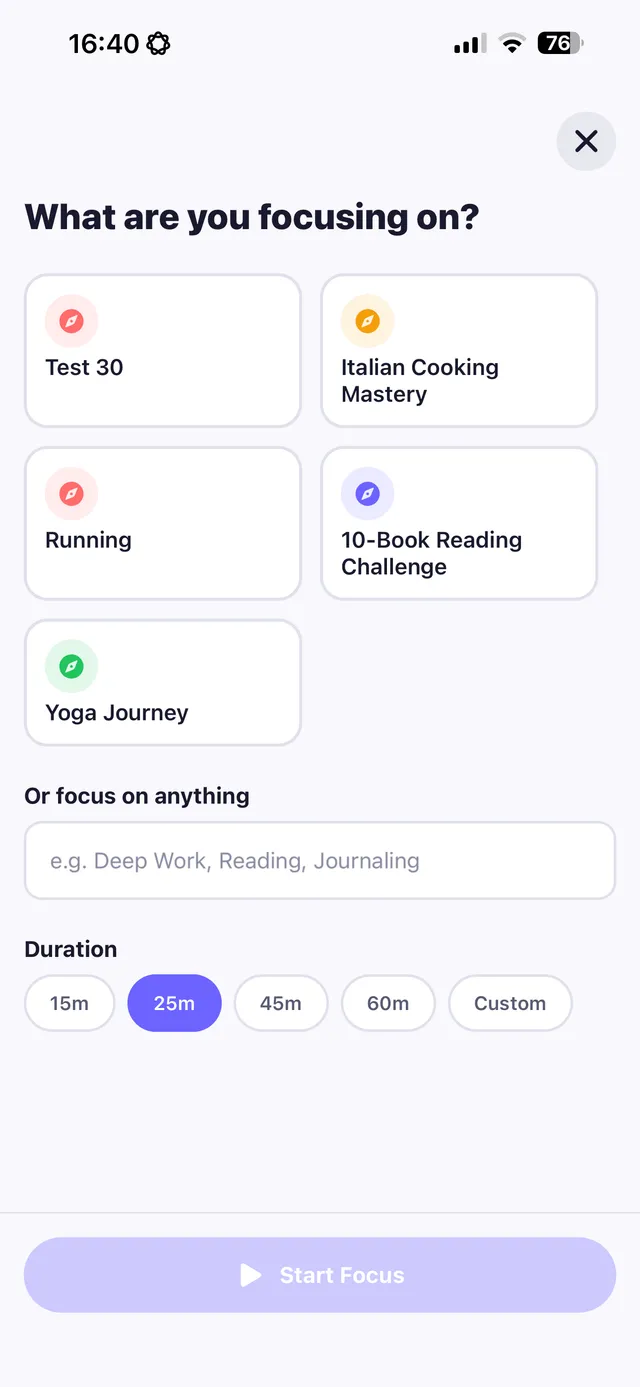
Replacify includes Phone Addiction as one of its struggles. Park your phone and start a focus timer session (15–60 minutes), tap the SOS widget instead of opening an app when the urge hits, and track your progress with daily check-ins and a heatmap calendar.
Frequently asked questions
How do I stop checking my phone so often?
Turn off non-essential notifications, remove badges and previews, keep your phone out of sight, batch-check messages, simplify your home screen and have something else to do in idle moments.
How many times a day do people check their phones?
It varies widely, but many people pick up their phones dozens of times a day. Check your own pickup count in Screen Time or Digital Wellbeing.
Why do I keep checking my phone for no reason?
Notifications, variable rewards and boredom turn phone checking into an automatic habit triggered by idle moments.
What is phone parking?
Choosing a fixed place for your phone, out of sight, while you work, eat or relax, so it isn't within reach for automatic checking.
Replace the habit. Not yourself.
Replacify helps you swap a bad habit for a better one — with structured paths, an SOS button for cravings, a focus timer, and streaks that keep you going.