Digital Minimalism: How to Use Technology on Purpose (a Practical 30-Day Declutter)

Most of us didn't choose how much technology is in our lives — it accumulated one app, one notification and one subscription at a time. Digital minimalism flips that around. Instead of asking "could this be useful?", you ask "does this truly support what I value, and is it the best way to do that?" Everything else goes.
The short answer
Digital minimalism is a philosophy of technology use where you focus your online time on a small number of carefully chosen activities that strongly support your values, and happily miss out on the rest. The term was popularised by Cal Newport's 2019 book Digital Minimalism, which recommends a 30-day digital declutter: take a break from optional technologies, rediscover offline activities, then reintroduce only what earns its place — with clear rules.
Digital minimalism vs a digital detox
| Digital detox | Digital minimalism | |
|---|---|---|
| Goal | A temporary break | A long-term philosophy |
| After | Often return to old habits | Deliberately rebuild your tech use |
| Focus | Removing technology | Choosing technology with intention |
A detox is a pause. Minimalism is a redesign. (And the popular "dopamine detox" idea is a different thing again — here's why it's often misunderstood.)
The 30-day digital declutter
Step 1: Define optional technologies
Optional technologies are apps, sites and tools you could step away from without harming your job or essential responsibilities: social media, video platforms, news apps, games, shopping apps. Essential tools — work email, banking, messaging close family — stay, but with limits.
Step 2: Take 30 days off optional technologies
Remove or log out of them for 30 days. Keep a list of anything you genuinely miss.
Step 3: Rediscover offline activities
This is the most important part. Fill the time with activities that are meaningful to you:
- Reading, writing, drawing, music.
- Exercise, walks, sport.
- Cooking, crafts, fixing things.
- Seeing people face to face.
Hobbies to replace bad habits has ideas, and what to do instead of scrolling covers quick swaps.
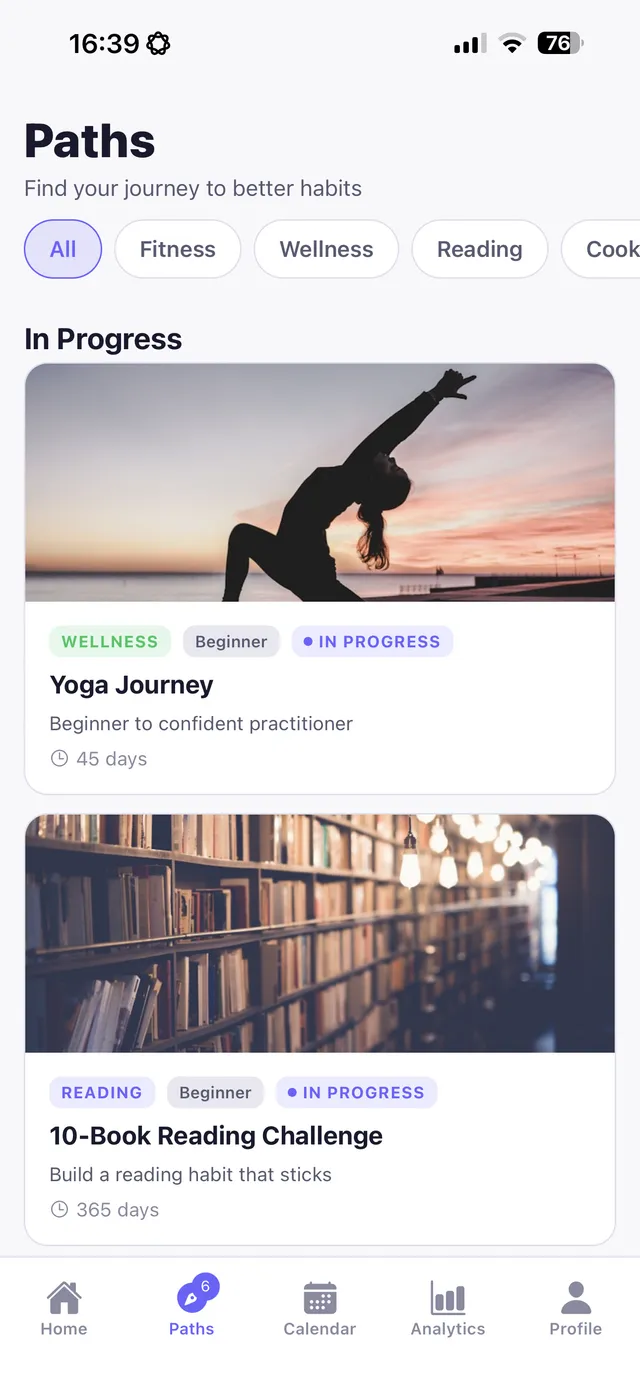
Replacify helps you swap a bad habit for a better one — with structured paths, an SOS button for cravings, a focus timer, and streaks that keep you going.


Step 4: Reintroduce with rules
After 30 days, only bring back technologies that:
- Serve something you deeply value.
- Are the best way to support that value.
- Come with clear operating rules — when, where and how you use them.
Example operating rules
| Technology | Rule |
|---|---|
| Social media | Desktop only, Saturdays, 30 minutes |
| News | One weekly summary; no news apps |
| Messaging | Batch-check at set times |
| Three times a day; no email on phone after 18:00 | |
| Video streaming | Planned viewing, no autoplay |
| Games | Weekends only |
Everyday digital minimalist habits
- Simplify your home screen to tools only.
- Turn off non-essential notifications.
- Leave your phone at home for short walks or errands.
- Keep phones out of the bedroom.
- Embrace solitude — time alone with your thoughts, without inputs.
- Prefer high-quality connection — calls and meetings over likes and comments.
For more practical tactics, see how to reduce screen time and should you switch to a dumb phone?
What to expect during the declutter
- Week 1: restlessness and phantom urges to check apps that aren't there. Boredom feels loud.
- Week 2: more free time than you know what to do with — the moment to lean into offline activities.
- Weeks 3–4: many people report calmer attention, more time for hobbies and people, and a clearer sense of which tools they genuinely miss.
Keep a short note of what you miss and why. It becomes the evidence for your reintroduction rules.
Is digital minimalism for everyone?
The specific rules are personal. Someone who uses social media for work will have different rules from a student or a retiree. The core idea — use technology on purpose, not by default — applies to almost anyone who feels their devices are using them.
The bottom line
Digital minimalism means choosing technology deliberately: keep what truly serves your values, set clear rules for it, and let the rest go. A 30-day declutter is a practical way to start — and the key is filling the space with offline activities you care about.
Replacify can support a digital declutter: choose Social Media, Doom Scrolling or Phone Addiction as your struggle, pick a replacement path to rediscover offline activities, use focus timer sessions for phone-free time, and try the app's dopamine detox challenge for extra structure.
Frequently asked questions
What is digital minimalism?
A philosophy of technology use where you focus your online time on a small number of carefully chosen activities that support your values, and let go of the rest. It was popularised by Cal Newport's 2019 book.
What is a 30-day digital declutter?
A 30-day break from optional technologies, during which you rediscover offline activities, followed by reintroducing only the tools that truly serve your values, with clear rules.
Is digital minimalism the same as a digital detox?
No. A detox is a temporary break; digital minimalism is a long-term approach to choosing and using technology intentionally.
How do I start digital minimalism?
Identify optional technologies, take 30 days off them, fill the time with offline activities, then reintroduce only what earns its place with clear operating rules.
Replace the habit. Not yourself.
Replacify helps you swap a bad habit for a better one — with structured paths, an SOS button for cravings, a focus timer, and streaks that keep you going.